React Native lets you build Android and iPhone apps from one JavaScript codebase.
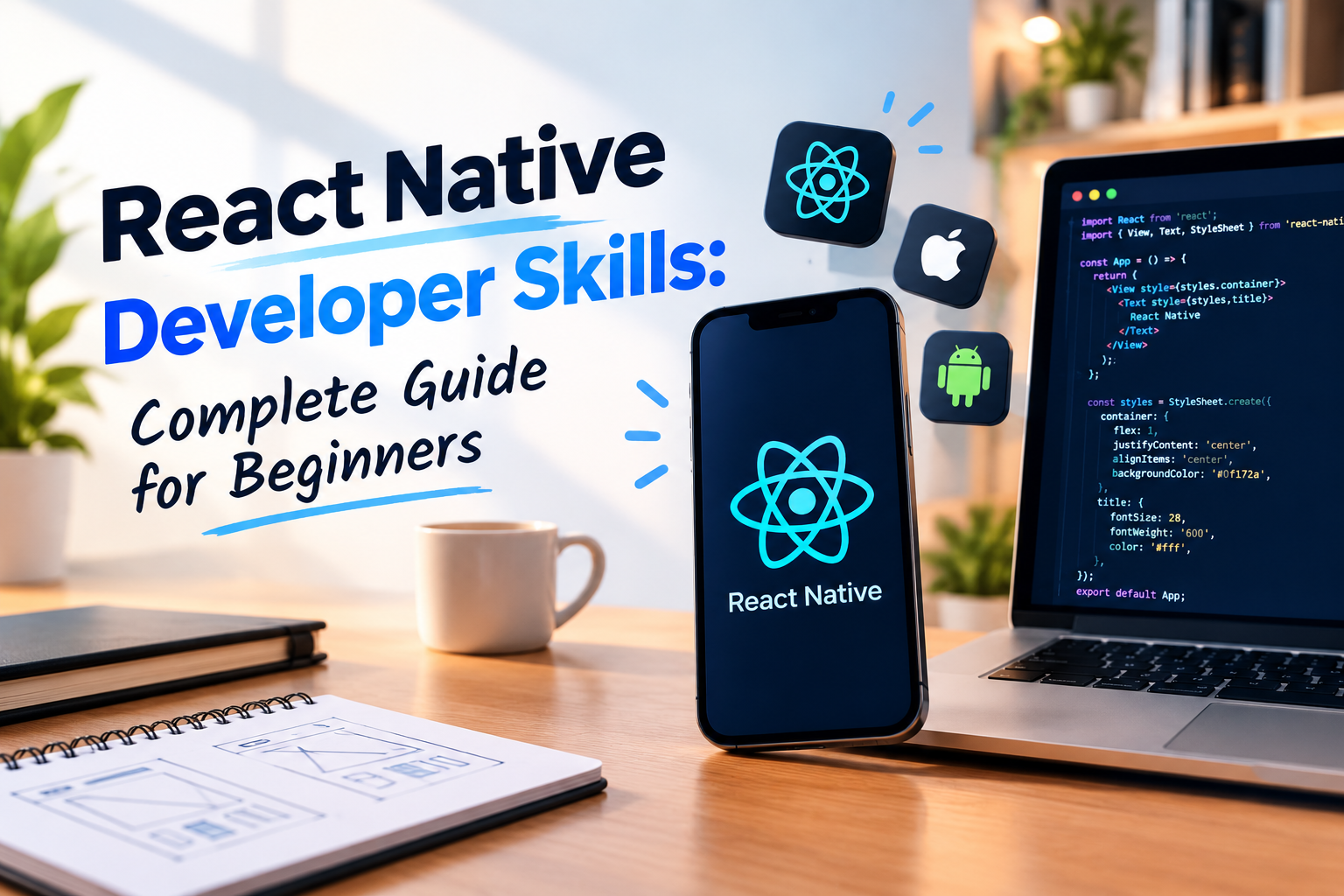
This guide explains the skills that matter, the order to learn them in, the tools worth your time, and the habits that turn a beginner into a hireable react developer.
Imagine Shipping an App Before Your Next Birthday
Picture a learner called Aarav. He is comfortable with a little JavaScript, he owns an ordinary laptop, and he has a half formed idea for an app that helps his neighbourhood order groceries from small local shops. Six months from now, he could have that idea sitting on a real phone. Nothing about his situation is special. What makes it possible is the set of react native skills he chooses to build, one honest week at a time.
That is the story this article follows. If you have ever typed react native into a search bar and felt buried by tutorials that contradict each other, consider this a calm, slightly chatty react native tutorial for beginners. We will cover what the framework does, what you should learn first, how to set up a workshop on your own machine, and how to grow from tinkering into something employers notice.
Quick note on spelling. People write react native, React Native and even reactnative as one word. All three point to the same thing, and all three are perfectly good doors into react software development for phones.
The Map Before the Journey: What React Native Really Does
One codebase, two operating systems
React Native lets you describe your screens in JavaScript using React, then turns that description into genuine native components on Android and iOS. Your button becomes a real button. Your list becomes a real scrolling list. This is different from wrapping a website in an app shell, and it is the reason a well built react native app can feel smooth under a thumb.
For businesses the appeal is simple arithmetic. Instead of paying two teams to build the same features twice, they maintain one codebase and release to both stores together. That saving explains why so many startups reach for react native development, and why a react native development company can quote a client a shorter timeline than a purely native shop.
Where React and React Native meet
Many beginners confuse react and react native, so here is a way to remember the difference. React is the way of thinking: small reusable components, data flowing downward, screens rebuilt when data changes. React Native is that same thinking pointed at phones. Instead of div and span you use View and Text, and instead of a stylesheet you pass style objects. Hooks behave the same way in both worlds, which is why anyone with web experience picks up react mobile development quickly.
There is one confusion worth clearing early. Some search results mention dart react as though the two go together. Dart is the language behind Flutter, an entirely different framework, so any tutorial that starts with Dart is not about React Native.
What a finished app looks like
It helps to picture the end result. A single react native mobile app might have a login screen, a home feed, a detail page, a profile tab and a settings page, all sharing the same components and the same rules. Behind it sits a small backend that stores information, and in front of it sits a person on a crowded bus with one thumb and a patchy signal. Building for that person, and not for your own fast laptop, is what separates careful developers from casual ones. Treat this react native guide as a way of learning to see through that person's eyes.
Skills You Pick Up Before the Framework
JavaScript deserves your first month
Here is a truth that saves months of frustration. Most people who say React Native is hard are actually wrestling with JavaScript. Variables, functions, arrow functions, arrays, objects, destructuring, promises and async await are the raw materials of every javascript react native project. When these feel natural, error messages turn from insults into clues.
A good self test is simple. Can you fetch a list of items from a public API, filter it by a rule you invent, and show a polite message when the request fails, all without copying from anyone? If yes, move on. If not, stay a little longer and enjoy the fact that time spent here is never wasted.
Git and the terminal
Nobody advertises these skills, yet every working react native dev leans on them daily. Learn to commit, branch, merge and undo a mistake with Git. Learn to move around the terminal, install packages and read logs. Pick an editor, most people choose Visual Studio Code, and learn a handful of shortcuts. Small habits like these make you look like a professional long before your code does.
Thinking in components
Before you touch a phone, practise breaking any interface into pieces. A shopping screen, for instance, is a header, a list of cards, each card holding an image, a title and a price, and a button at the bottom. Sketch it on paper, name the pieces, and decide which ones repeat. That habit is the heart of react native ui work, and it costs nothing to practise while waiting for a bus.
Setting Up Your Workshop
Why Expo is the friendly starting point
If you keep wondering react native how to start without a weekend lost to configuration, choose react native expo. Expo handles the fiddly native settings for you, so you can write code and see it on your own phone within minutes. Later, when a project needs custom native modules, you can move to the bare workflow with far better judgement. Starting with Expo is not a shortcut you will regret. It is a way to stay motivated long enough to reach the interesting parts.
Working on a Windows machine
A very common worry is whether a react native window setup is good enough. It is. On Windows you can build and test the Android side completely using Android Studio or a real phone, and you can check iPhone behaviour through Expo Go on a borrowed device. A Mac only becomes necessary when you start producing official iOS builds for the App Store, and by then you will know whether this career suits you.
Your very first screen
To create react native app projects with Expo, you run a single command, choose a name and start the development server. Scan the QR code with your phone and your first screen appears. Edit a line of text, save, and watch it change in a second or two. That tight feedback loop is what makes many people fall in love with this framework.
Whether you want to create app with react native for a friend's shop or just experiment, keep your ambitions tiny at the start. One screen. One button. One number that increases. A react native app builder is really just someone who repeats small wins until they add up.
Building the Face of Your App
The handful of components that do most of the work
A surprising amount of react native ui comes from six components. View holds things, Text shows words, Image shows pictures, FlatList scrolls through long collections, TextInput collects typing and Pressable reacts to taps. Layout runs on flexbox, and it defaults to a column, which surprises people coming from the web. Give yourself one evening to play with direction, alignment and spacing until you can predict where a box will land.
Phones also come in many sizes. Notches, keyboards that slide up and screens that rotate all change your layout. Test on more than one device early. Fixing spacing at screen two is easy, and fixing it at screen twenty is miserable.
Libraries, taste and react native ui design
A react native framework ui library can save time by offering ready made buttons, cards and tabs. Use one after you understand basic styling, otherwise you may never learn what it is doing on your behalf. The best developers treat libraries as helpful assistants, not replacements for their own understanding.
Good react native ui design is mostly consistency. Choose a small colour palette, use two or three text sizes, keep spacing steady, and make every tappable element big enough for a thumb. Add loading indicators, friendly empty states and readable error messages. When a recruiter opens your project they rarely check whether it is beautiful. They check whether it feels finished and considerate.
Teaching Your App to Remember
State is your app's short term memory
State is whatever your screen needs to remember right now: what the user typed, which tab is open, whether a list is still loading. Hooks such as useState and useEffect handle most needs. Build a shopping cart using only hooks and context, and watch for the moment it becomes clumsy. That moment is a gift, because it shows you why bigger tools exist.
A gentle react native redux tutorial for beginners
Anyone hunting for a react native redux tutorial for beginners soon meets one uncomfortable question: is Redux compulsory? It is not. Redux Toolkit provides a single predictable store, clear actions and tidy update rules, which helps large apps where many screens and many developers share complicated data. Small apps rarely need it.
So learn the vocabulary of store, slice, action and selector, use it once in a modest project, and stop there until a real need appears. In interviews, being able to explain when Redux is useful, and when it is overkill, impresses people far more than reciting definitions.
Navigation as the skeleton
Almost every real react native application has several screens, so navigation is a core skill. Stack navigation moves you forward and back, tabs organise main sections and drawers hold menus. Learn to pass parameters between screens, guard private screens behind a login and open a specific screen from a link. Sketch the flow on paper first. It feels slow, and it saves days.
Plugging Into the Cloud
APIs and the unhappy path
An app with no data is a poster. You will request information from servers and display what returns, and you must plan for the days when the network drops or the answer looks strange. Handle loading and error states on every request, cache what you can for weak connections and keep tokens in secure storage. These habits separate a classroom demo from something people can rely on.
Firebase for speed
For many beginners, react native with firebase is the quickest route to a full featured app. Firebase supplies login, a live database, file storage and push notifications without you running any servers. Build a chat screen or an expense tracker with it and you will learn about security rules, live listeners and how to shape data so reads stay cheap.
MongoDB and your own backend
Eventually you will want control. That is where mongodb with react native comes in. Your app never talks to the database directly. A small Node and Express server sits between them, exposing clean endpoints that your app calls. Once you are comfortable on both sides of that arrangement, you are well on your way to becoming a react native full stack developer, someone who can carry a feature from a tapped button to a stored record.
I unpacked this journey in more detail elsewhere, including a month by month plan, so if you like your reading in longer chunks that is a decent companion to this piece.
There is also growing interest in web development with react native, where teams share logic between mobile and browser versions of a product. It will not replace every web project, but for small teams that want consistent behaviour it can be a smart option.
One Project, Many Destinations
Shipping to Android
Most learners in India begin with Android, and for good reasons: phones are everywhere, the emulator is free and testing on your own handset is easy. A useful react native android tutorial for beginners covers Android Studio, virtual devices, logs and permissions. When you are ready to build android react native releases for real users, you will create a signed build, prepare screenshots and a privacy policy, and submit through the Play Console. The process to react native build for android from start to store teaches patience and attention to detail.
Shipping to iPhone
Apple's path is a bit stricter. For ios app development react native style, you use Xcode on a Mac, manage certificates and provisioning profiles, and submit to the App Store, where review can be pickier. When you react native build ios versions, most of your code is already shared, often more than ninety percent. Your work is smoothing small differences in keyboards, shadows and permissions. Think of react native ios as the same app wearing a different jacket.
The browser question
Thanks to react native web, your components can render inside a browser, which helps when you want a react native website that shares logic with the mobile app. It suits dashboards and companion sites nicely. If you plan to react native build web pages that must rank on search engines, a dedicated web framework is usually wiser. Knowing which tool fits which job is a skill in its own right.
The Flutter Question, Answered Fairly
Debates about react native flutter get heated online, but the honest answer is calm. React Native uses JavaScript and React, so it feels natural to anyone with web experience or plans to gain it. Flutter uses Dart and paints its own interface, which appeals to people who want pixel level control. Neither is wrong. Choose the one that fits your background, the jobs around you and the product you want to make.
You will also hear the phrase react native hybrid app development. Strictly speaking, the framework is not the old style of a website wrapped in an app shell, but the label sticks because it describes one codebase serving several platforms. Real products often mix shared code with a few native modules for special features, and that flexible mindset keeps you from being trapped by any single tool.
Career Reality Check
Who actually hires
Three kinds of employers look for react native app developers. Product startups let you wear many hats. Agencies and react native app development companies expose you to many industries in a single year. Larger enterprises teach process, testing and discipline. Your first job matters less than whether a senior person reviews your work and pushes you to improve, so look for that above everything else.
What makes someone a react native expert
Nobody wakes up as a react native expert. It happens through habit. Read release notes, profile your app, reduce needless re renders, optimise images and keep learning after your first job. Anyone who calls themselves a react native builder after six months and stops there tends to plateau, while those who keep asking why things work move steadily upward.
Writing code others enjoy reading
Clean react native code is a quiet advantage. Name things clearly, keep components small, separate logic from presentation and avoid deeply nested files. Use TypeScript if you can, format consistently and let a linter catch common problems. A reviewer who opens your repository and finds tidy structure will assume you are easy to work with, and that assumption is worth real money.
Your First Ninety Days and Beyond
The roadmap to learn react native
People search for a roadmap to learn react native because they want proof that the road ends somewhere. It does. Spend the first month on JavaScript, Git and core React. Spend the second on Expo, components, layout and navigation. Spend the third on APIs, state, Firebase and two small finished apps. After that, add a Node backend, authentication, notifications and real store builds. A healthy roadmap to react native is never a race, so repeat any stage where your confidence feels thin.
Learning with people beside you
Some learners thrive alone, and many do better with structure and feedback. Live interactive sessions with a mentor catch mistakes early, and react native online development becomes easier to stick with when classmates are learning alongside you. Good online react native classes let you share your screen the moment something breaks. If you decide to learn react native from scratch free using documentation and community videos, that is a wonderful start. Just find at least one person who will read your code and tell you honestly what to improve.
Three apps worth building
Certificates are pleasant, but proof is stronger. Build a tidy single purpose app such as a budget tracker. Then make a data driven app with login, perhaps a fitness log using Firebase. Finally attempt a full stack project where you also wrote the API, like a small booking tool. Each should feel like a complete react mobile app with onboarding, navigation, loading and error handling, and a sensible folder structure. Put the work on GitHub with screenshots and a short note on your decisions.
Parting Advice
React Native rewards steady effort more than raw talent. Build a strong JavaScript base, understand React deeply, test on real phones, connect real backends and ship real projects, and you will collect the skills employers quietly search for. You will also pick up habits that help in any technical career: staying calm around errors, breaking large problems into small ones and finishing what you start.
Begin this week with something tiny. Install Node, create an Expo project and get one screen showing on your phone. Then build the next. And if you would like mentors, regular feedback and placement support around you while you do it, learners in Mumbai and beyond can see how the classroom and live batches work over there, and sitting in on a class costs nothing before you decide.